How to Plan Practice Sessions with AI: A Coach's Guide
A practical guide to using AI to plan sessions, design drills, and track athlete progress — without the admin hours that usually come with it.
 Planner.coach Team
Coaching has always demanded a lot of time away from the field. Scouting drills, building session plans, tracking athlete progress, adjusting workloads — the administrative side of the job can eat hours that belong on the bench. Coaches are starting to hand that admin load to an AI assistant — and getting their evenings back.
This guide walks through the ways coaches are using AI to plan smarter, spend less time on admin, and make better decisions for their athletes.
What the AI Coach Actually Does
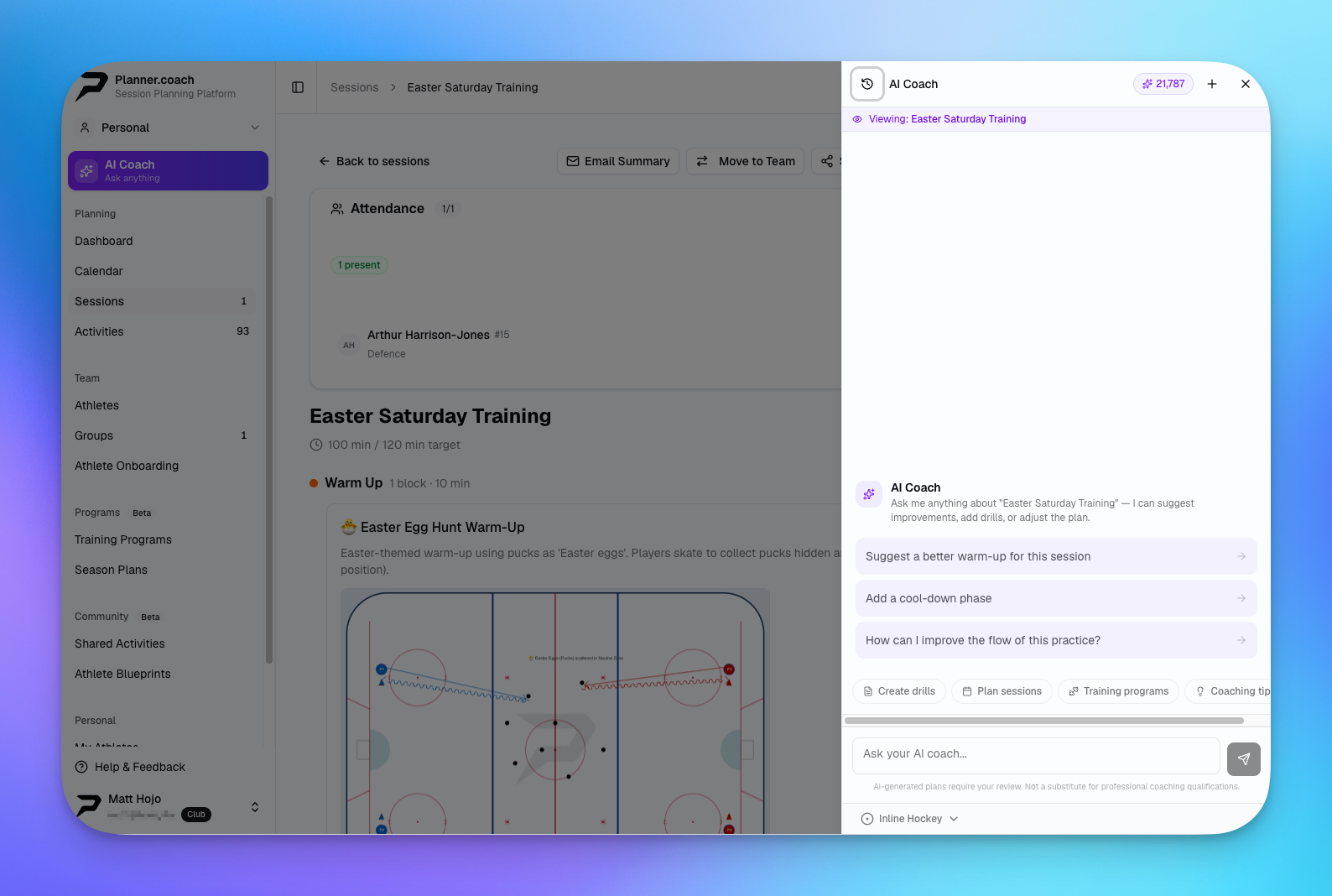
The AI coaching assistant is a conversational tool built into your coaching workspace. It knows your session history, your drill library, your athletes, and your training schedule. When you ask it a question, it answers with context — not generic advice pulled from a search engine.
You can ask it to:
- Suggest drills for a specific skill focus or session goal
- Build a full session plan from scratch based on your parameters
- Review an existing session and flag gaps or imbalances
- Summarize an athlete's recent progress or attendance trends
- Recommend adjustments for athletes returning from injury or absence
The assistant draws on your actual data, so every answer is grounded in what you've already built.
Building a Session Plan with AI
Starting a session from a blank slate is one of the most common tasks coaches delegate to the AI coach. Here's how that workflow typically looks.
Start with Your Goal
Open the session builder and describe what you want to achieve in the AI chat panel. Something like:
"I'm running a 60-minute ice hockey practice focused on defensive zone coverage for a U16 group. Suggest a session structure with 4-5 drills."
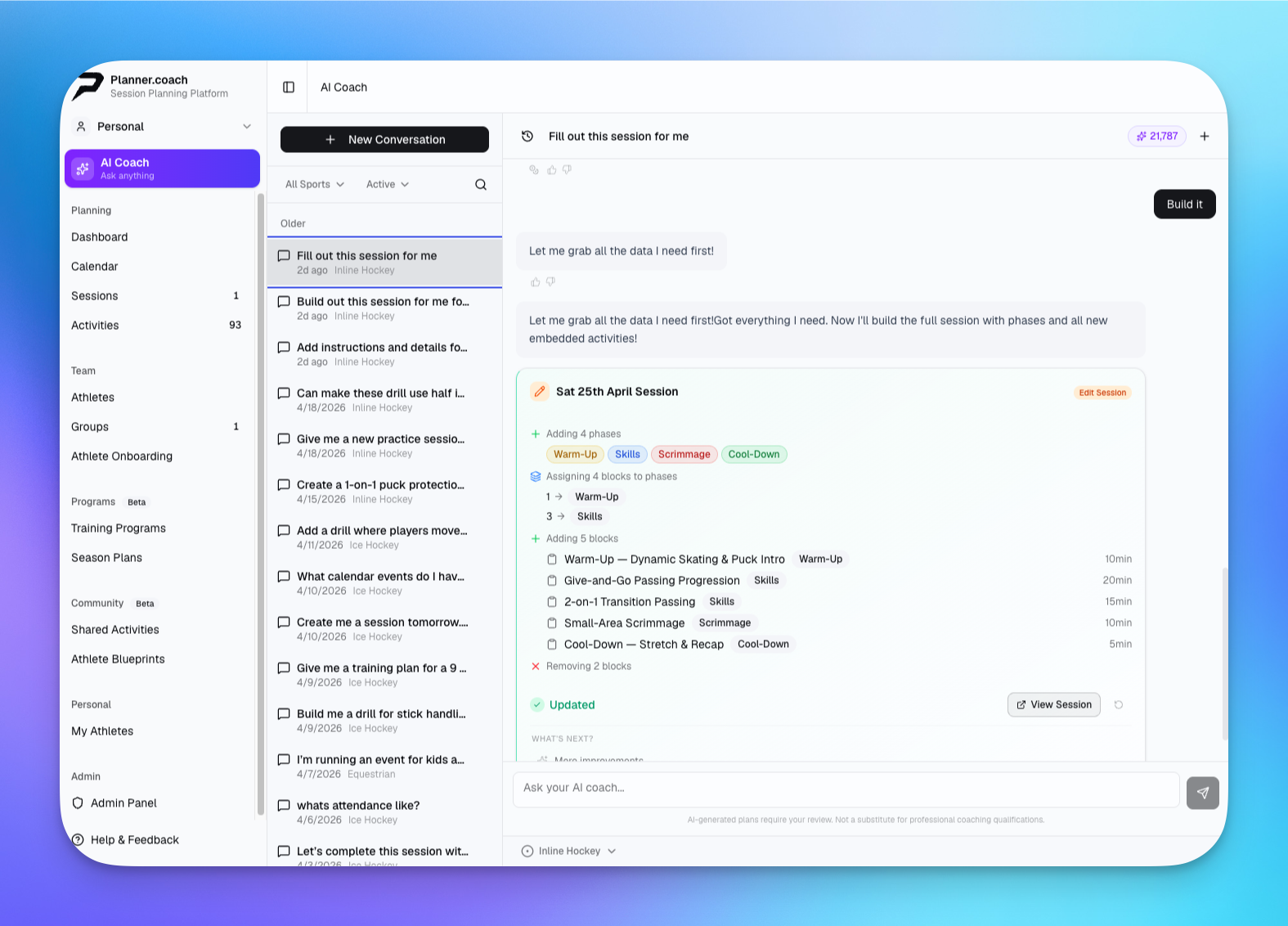
The assistant will propose a phased plan — warm-up, main block, cool-down — with drill suggestions drawn from your library and the activity database. It explains its reasoning for each choice so you can adjust with confidence.
Refine in Conversation
You're not locked into the first suggestion. Follow up with adjustments:
"Replace the last drill with something that works in smaller groups — we only have half ice tonight."
The AI updates its recommendation in the same conversation thread. Each iteration stays in context, so you're not repeating yourself.
Apply to the Builder
Once you're happy with the plan, add the suggested activities directly to your session in the session builder. Drag them into the correct phase, set durations, and add coaching notes. The plan goes from conversation to canvas in a few clicks.
Want to try this with your own sessions? Create a free Planner.coach account and the AI coach is ready to go from your first login.
Designing Drills with the Drill Designer
When a drill in your library doesn't quite fit, the drill designer lets you build a custom one — and the AI coach can guide the design.
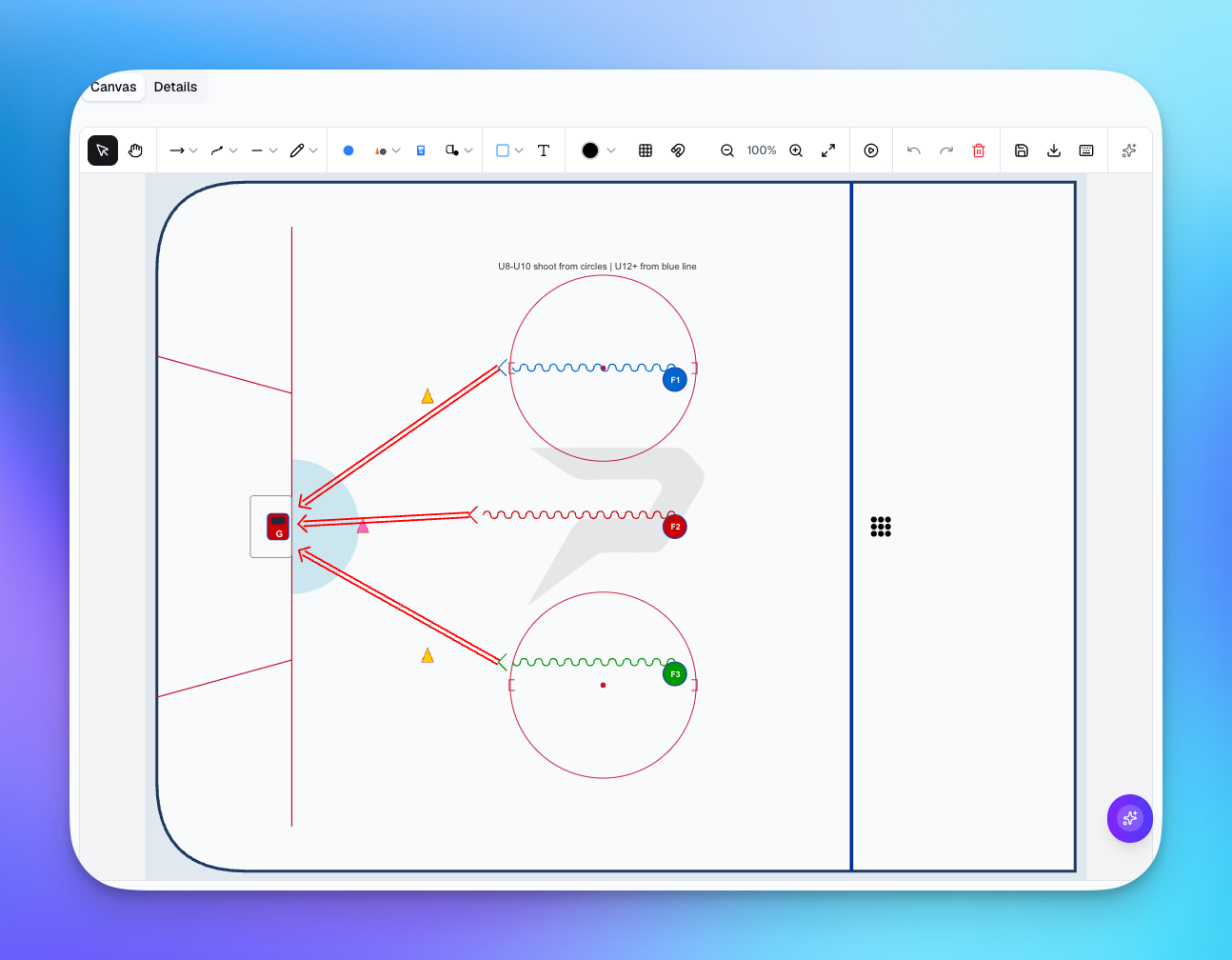
Describe the movement pattern or tactical concept you want to diagram and ask the AI for a layout suggestion. It can describe player positions, movement paths, and key coaching points that you then translate into the visual canvas.
For sports like ice hockey, soccer, or basketball, the canvas surfaces include accurate rink, pitch, and court markings so your diagrams look professional and print cleanly.
Tracking Athletes and Adjusting Load
The AI coach is also connected to your athlete profiles. Ask it about an individual athlete and it can surface:
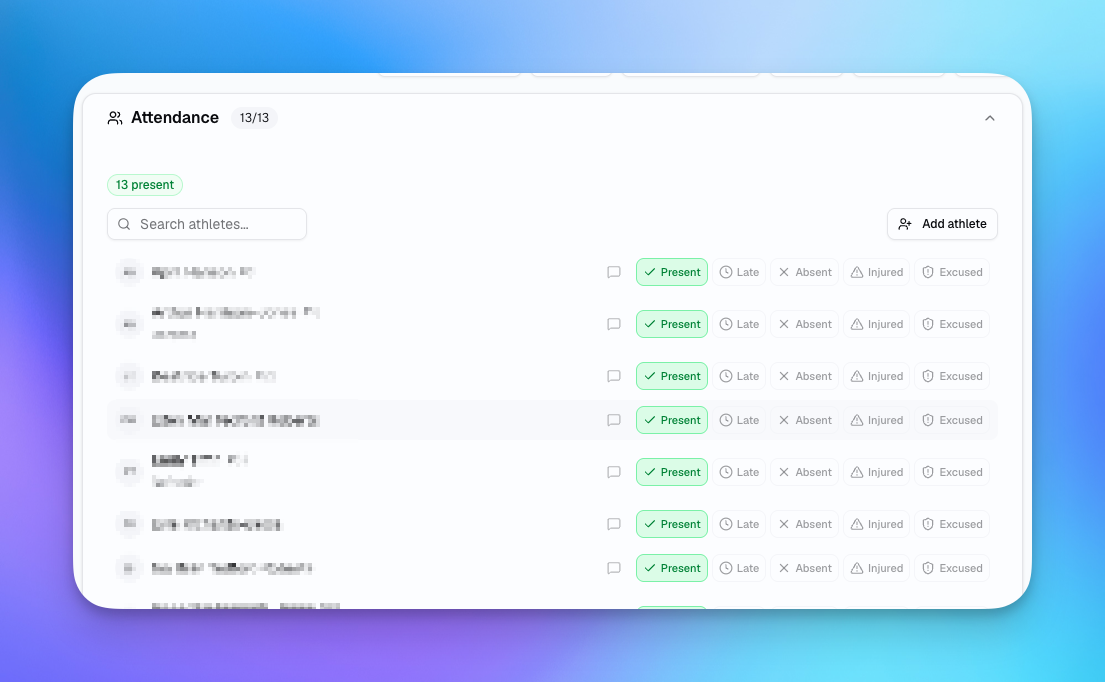
- Recent session participation and attendance rate
- Measurement trends (speed, strength, skill ratings)
- Upcoming sessions they're scheduled for
- Any patterns that might suggest overload or undertraining
This is especially useful at the start of a training block when you need a quick summary of where each athlete stands before you plan the next phase.
"How has Jordan been performing over the last 30 days? Has attendance been consistent?"
The assistant will pull together the relevant data points and give you a plain-language summary — no pivot tables required.
Working with a Coaching Staff
If you coach alongside a staff on a Club plan, the AI coach works within your shared workspace. Every coach on the staff can use the assistant, and the context it draws on reflects team content — shared sessions, team athletes, and the full drill library.
AI credits are pooled from the team owner's account, so your entire staff can get suggestions and draft sessions without each coach needing a separate subscription.
This makes the assistant especially valuable for keeping assistant coaches aligned. A new assistant can ask the AI to explain the session structure for the week, get drill coaching points, or understand athlete background — without having to pull the head coach away from a conversation.
Common Questions Coaches Ask the AI
Here are some real examples of how coaches are using the assistant day-to-day:
- "What drills did I use in the last three sessions? I want to mix things up."
- "Build me a 45-minute pre-game activation session for basketball."
- "Which athletes have the lowest attendance in the last two weeks?"
- "I want to run a rugby session on set-piece defense. What should I focus on?"
- "Suggest a drill progression for first-touch passing, beginner to intermediate."
Each of these gets answered in seconds, using your drills, your athletes, and your schedule — not a generic web search.
Key Takeaways
- The AI coaching assistant is context-aware — it uses your sessions, drills, athletes, and schedule to give relevant answers, not generic ones.
- You can build a full session plan through a conversation, refining it iteratively before applying it to the session builder.
- The drill designer and AI work together — describe what you want to diagram and let the AI guide the concept.
- Athlete progress queries are answered in plain language, combining attendance, measurements, and session history.
- Team plans share AI credits, making the assistant available to your whole coaching staff on a single subscription.
Hand the planning to the AI and keep your hours where they belong — on the bench. Get started for free and have your first session built before practice tonight.
Ready to Plan Better Practices?
Planner.coach helps you build structured sessions with AI-powered tools. No credit card required.
More from the blog
The Coach's Complete Guide to Pre-Season Planning
How to build a pre-season training block that prepares athletes physically, sharpens skills, and sets the tone for a successful season.
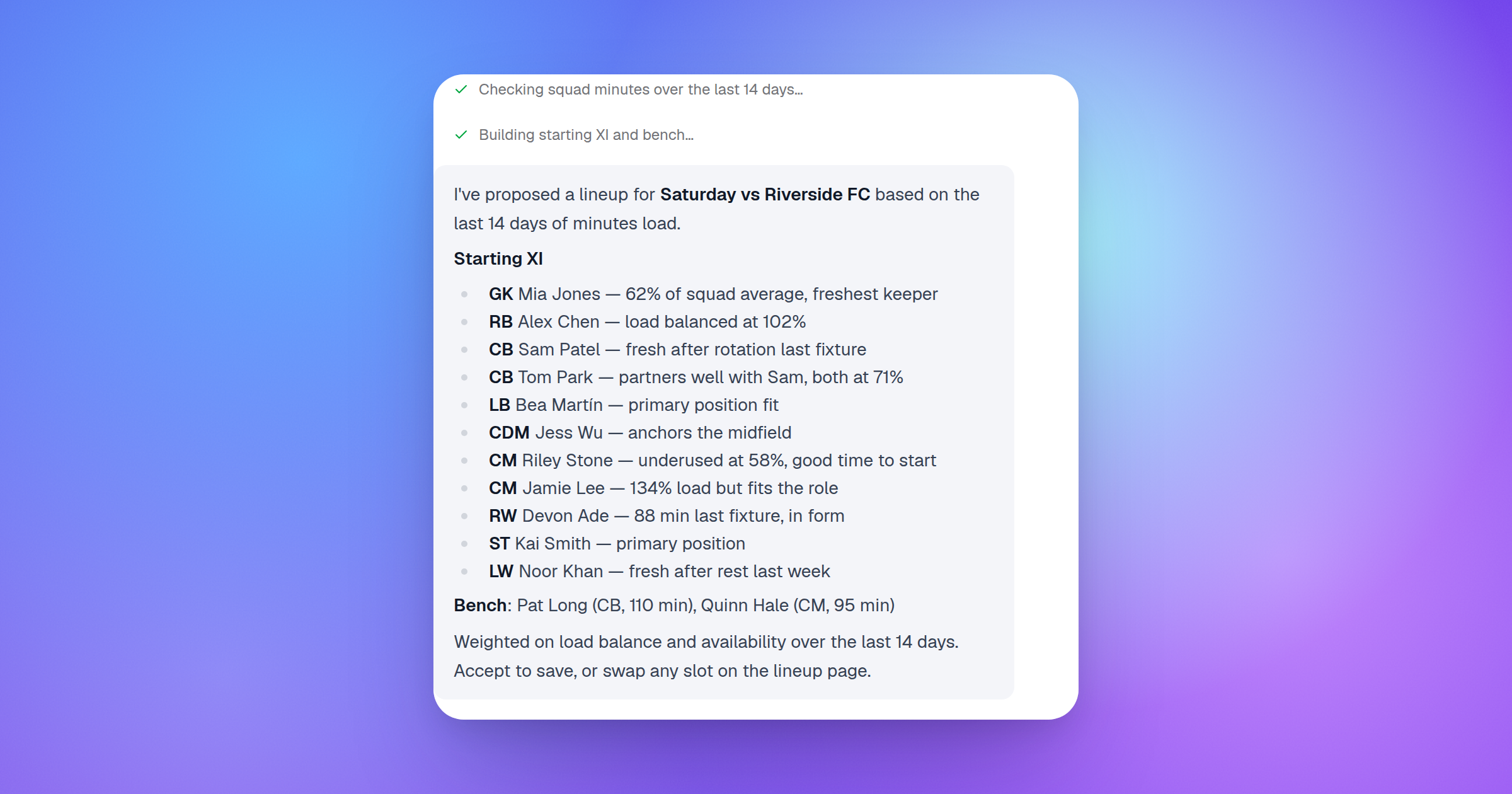
Introducing AI-Powered Lineup Builder: Smarter Match-Day Planning
Build your starting lineup, manage ice time, and let AI propose balanced formations for soccer and hockey — in minutes, not hours.
How to Track Athlete Progress Like a Pro Coach
A practical guide to measuring, recording, and acting on athlete progress data — so every training decision is backed by evidence, not guesswork.