Introducing AI-Powered Lineup Builder: Smarter Match-Day Planning
Build your starting lineup, manage ice time, and let AI propose balanced formations for soccer and hockey — in minutes, not hours.
 Planner.coach Team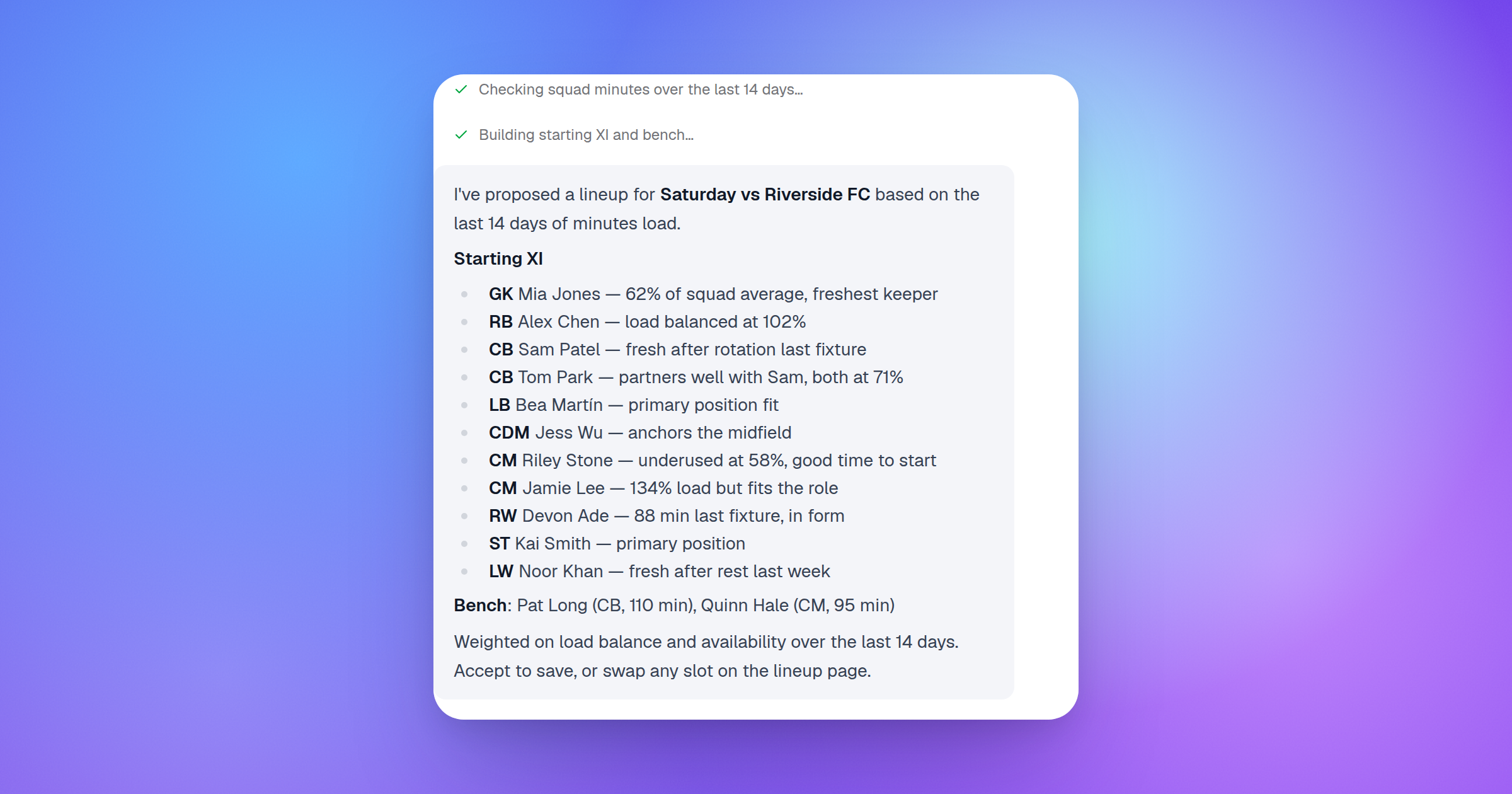
Match day should be about coaching, not spreadsheets. But for most coaches, the hour before a game looks the same: checking who's available, cross-referencing last week's ice time, trying to remember which winger played left last time, and hoping the lineup you paste into a group chat is still accurate by warm-up.
The new AI-Powered Lineup Builder changes that. It connects your roster to your calendar, tracks athlete availability and minutes, and lets AI propose a balanced lineup — for soccer, ice hockey, or inline hockey — with reasoning behind every pick.
The Real Cost of Manual Lineup Planning
If you coach a competitive team, you've lived this. A week before the game, you're trying to balance:
- Who's been putting in minutes recently and who needs more ice time
- Which players have flagged unavailability (or forgotten to)
- Left-hand versus right-hand balance on defensive pairs
- Which athletes are best on the power play versus a checking line
- The parent who corners you after the game because their kid was on the bench again
Coaches managing a squad of 20+ athletes are making a dozen small decisions at once. When those decisions live in your head and a group chat, something always slips through.
How the Lineup Builder Works
Lineups are linked directly to your calendar. When you schedule a game or tournament in your calendar, you can attach a lineup to that event. Everything flows from your athlete roster, so you're not rebuilding from scratch each week.
Soccer: XI, Bench, and Substitutes
For soccer, the lineup builder supports a full match squad — eleven starters plus your bench. Select a formation preset (more on those below), slot athletes into positions, and the AI tracks who's started, who's come off the bench, and how minutes have accumulated across the season.
When you're ready to set the lineup, the AI proposer can suggest the XI and bench in one go — factoring in who's available, who has a must-start or must-bench designation this week, and which athletes are flagged as unavailable.
Ice Hockey and Inline Hockey: Lines, Pairs, and Goalies
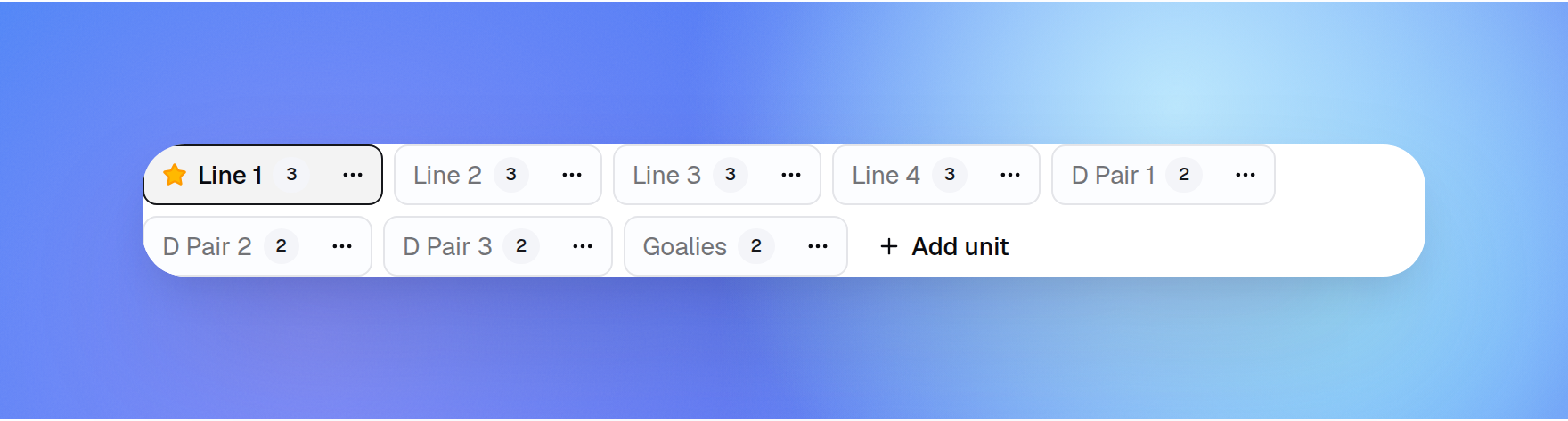
Ice hockey lineups work differently. Instead of an eleven, you're managing forward lines, defensive pairs, and a goalie rotation. The AI proposer understands that structure — it builds out your lines and pairs rather than a positional grid.
For defensive pairs, the proposer balances handedness automatically. If you have four left-handed defensemen and two right-handed, it won't pair two lefties together and leave you with mismatched stick sides — it distributes them as evenly as the roster allows.
Inline hockey works the same way, with line and role assignments adapted for the shorter bench.
Formation Presets: Stop Drawing From Scratch
Building a lineup starts with a formation. The new canvas presets library includes built-in formation templates you can drop in immediately:
Soccer formations included:
- 4-3-3
- 4-4-2
- 4-2-3-1
- 3-5-2
Ice hockey formations included:
- 4-forward-line rotation
- 3-forward-line rotation
- 3-defensive-pair rotation
- 2-defensive-pair rotation
Inline hockey formations included:
- Standard 3-forward-line rotation
- Compact 2-line rotation
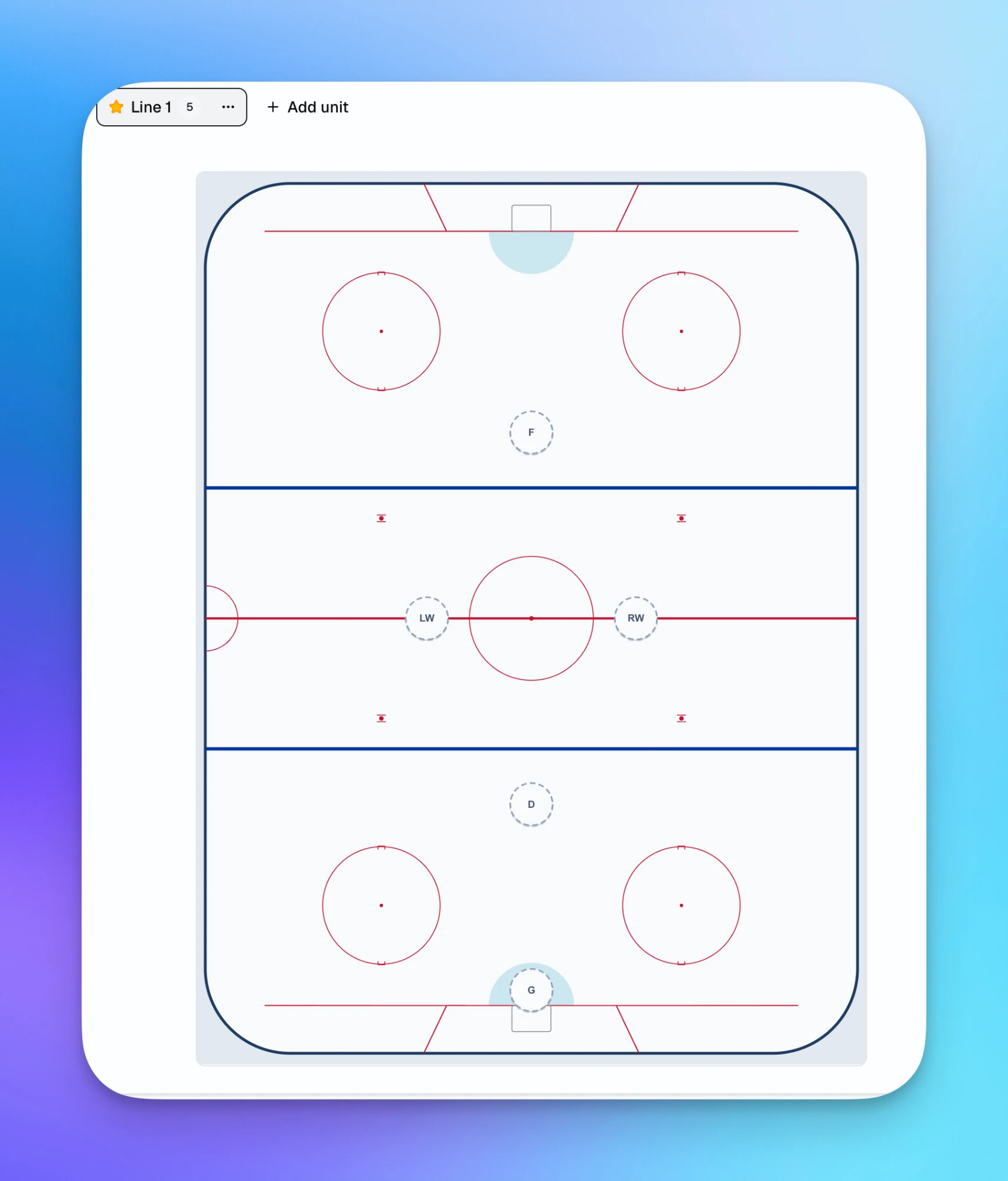
Once you apply a preset, all the positions are laid out for you. Click a slot to assign an athlete from your roster. You can also save your own formations as personal presets, or share them across your coaching staff if you're on a team.
How the AI Proposer Reasons Through a Lineup
The propose lineup tool isn't a random shuffle. It works through a structured set of rules before it makes a single suggestion:
-
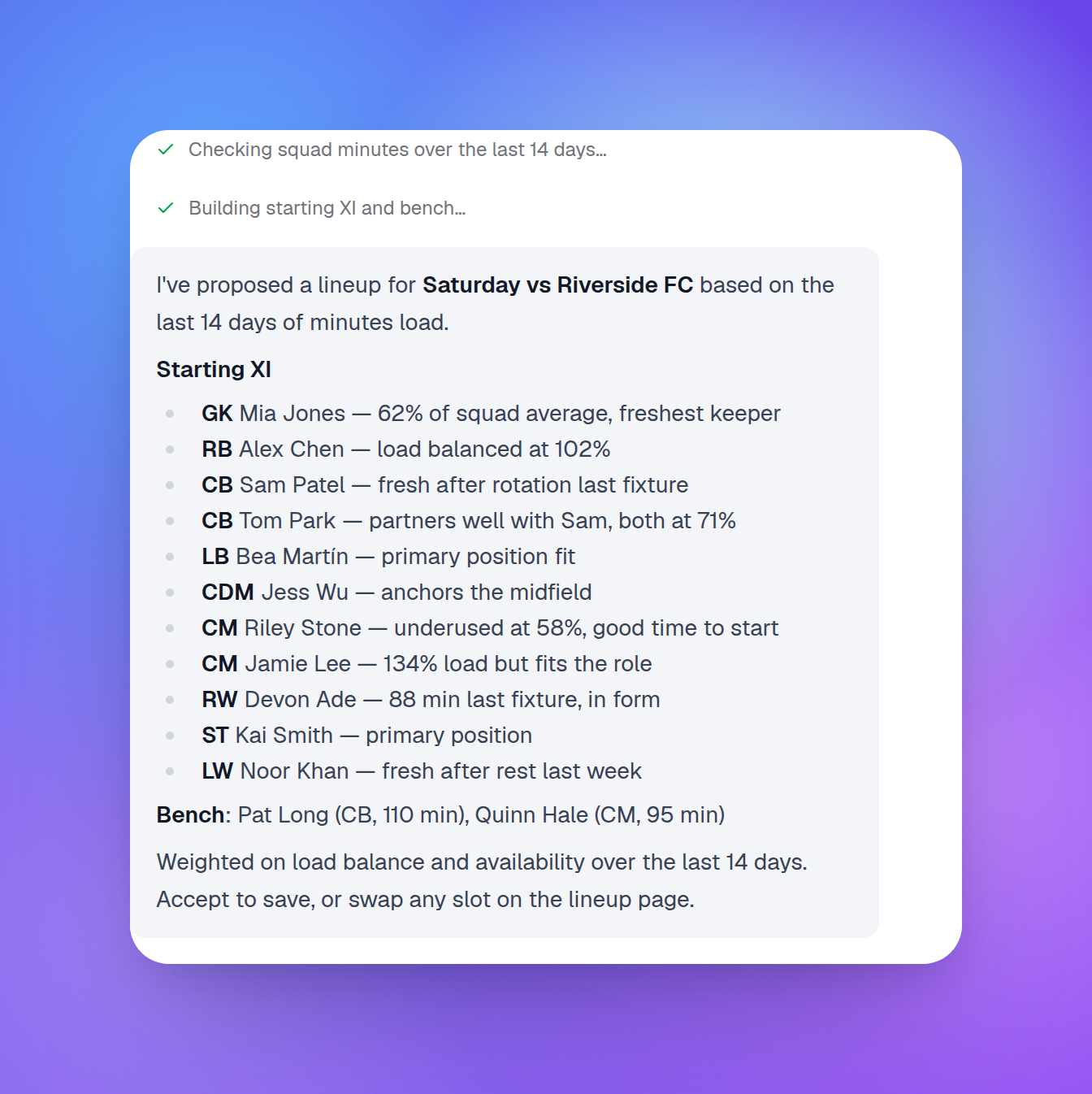
Remove unavailable athletes first. Anyone you've marked as unavailable for the game — injured, away, or flagged by the athlete or a guardian — is excluded from the pool before anything else happens.
-
Honor must-start and must-bench designations. If you've marked a player as must-start (returning from injury, needs the run-out) or must-bench (served a yellow, needs rest), those constraints are applied before filling remaining slots.
-
Balance minutes across the roster. The proposer checks the
athlete_minutesledger — how many minutes each player has accumulated over recent games — and distributes remaining spots to keep the squad balanced over the course of a season. Athletes who've been consistently benched get priority; those with high recent minutes may be rotated to the bench. -
Apply sport-specific balance rules. For hockey defensive pairs, this means handedness balance. For soccer, positional role fit is used to match athletes to slots where they have the most appropriate skill profile.
-
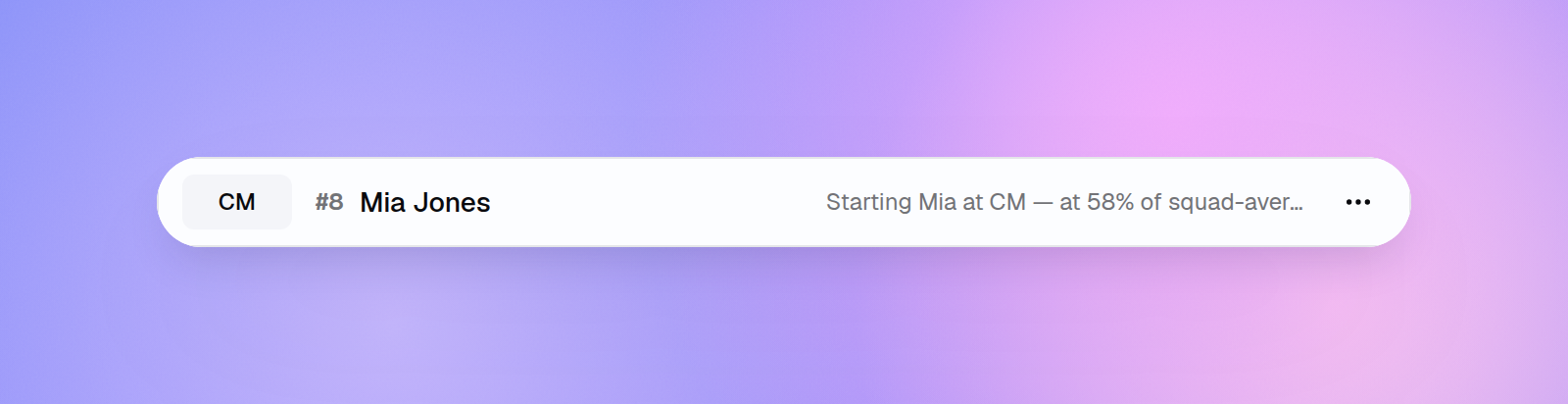
Explain every pick. Each slot in the proposed lineup comes with a short reasoning note — why this athlete was chosen, what constraint influenced the choice, or why someone was left on the bench. You can review the logic and override any slot before locking the lineup.
Keeping Track of Who's Played
Every coach has had that post-game moment: a parent points out their kid barely got on the ice, and you realise you've been leaning on the same six players for three weeks running without noticing. Managing minutes fairly across a full squad — especially through a busy stretch of fixtures — is harder than it looks when you're focused on the game itself.
The lineup builder includes a minutes log for exactly this. After each game, record how long each player was on the field or ice. That's it. The next time you open the lineup proposer, it already knows who's been carrying a heavy load and who's been sitting too long — and it balances the picks accordingly.
No more spreadsheets, no more mental arithmetic before matchday. The history builds up quietly in the background and feeds into every lineup suggestion going forward.
Tier Access
- Lineup builder (create and manage lineups, formation presets, minutes tracking): Pro and above
- AI lineup proposer (the propose, swap, and AI-driven tools): Club plan
If you're on a Club plan with a team, the AI proposer is available to all coaches on your staff and draws from the shared team owner's AI credit pool.
Getting Started
The lineup builder is live now. Here's how to use it for your next game:
- Open your calendar and find the game event (or create one).
- Select Add Lineup from the event detail panel.
- Choose a formation preset that matches your system.
- Assign athletes to slots manually, or hit Propose Lineup to let the AI draft it.
- Review the AI's reasoning, make any adjustments, and lock the lineup.
- After the game, record minutes so the proposer has accurate data for next time.
The full lineup is stored with the game event, so you can pull it up during warm-up on your phone and reference it on the bench.
Key Takeaways
- Lineups are attached to calendar game events, so your match-day planning is always in context with your schedule.
- The AI proposer applies a rule-based sequence: remove unavailable athletes, honor must-start/must-bench, balance minutes, then apply sport-specific rules like handedness balance for hockey pairs.
- Formation presets for soccer, ice hockey, and inline hockey are available out of the box — no more building grids from scratch.
- Every AI pick comes with a reasoning note so you stay in control of the final decision.
- The athlete minutes ledger builds automatically after each game, giving the proposer increasingly accurate data over the course of a season.
Match day has enough variables. Let the AI handle the lineup logic and spend that time where it counts — preparing your team. Get started for free and have your first AI-proposed lineup ready before your next game.
Ready to Plan Better Practices?
Planner.coach helps you build structured sessions with AI-powered tools. No credit card required.
More from the blog
The Coach's Complete Guide to Pre-Season Planning
How to build a pre-season training block that prepares athletes physically, sharpens skills, and sets the tone for a successful season.
How to Track Athlete Progress Like a Pro Coach
A practical guide to measuring, recording, and acting on athlete progress data — so every training decision is backed by evidence, not guesswork.
How to Plan Practice Sessions with AI: A Coach's Guide
A practical guide to using AI to plan sessions, design drills, and track athlete progress — without the admin hours that usually come with it.