Consent Workflows for Athletes and Guardians
Send onboarding packs to athletes or their guardians, track completion in real time, and start the season with every form signed — no chasing required.
 Planner.coach Team
What's New
Planner.coach now includes a full Consent Workflow system. Coaches can build onboarding packs — bundles of consent and release forms sent before the season starts — and track completion from a single dashboard. Signers fill out every form through a no-login-required wizard on their phone or computer, and coaches see exactly where each athlete is in the process.
The pack adapts to the signer. Adult athletes (or anyone above your local minimum age) sign for themselves; for younger players, the link goes to a guardian who signs on their behalf. The same workflow handles both — you build it once, and Planner.coach routes the right experience to the right person.
Why It Matters
Getting signed consent forms back from every athlete is one of the most time-consuming parts of pre-season administration. Between printing, chasing down missing signatures, and filing physical copies, it can eat up hours before a ball has even been kicked. When forms go missing or someone claims they never received one, you're stuck.
Beyond the paperwork burden, the stakes are real. Parental consent for minors, medical release, photo permissions, equipment agreements — these aren't nice-to-haves. If something happens at training and the paperwork isn't in order, you're the one holding it.
Consent Workflows replace the spreadsheet-and-email approach with a structured, trackable process. You know who has consented, who hasn't, and where drop-off is happening — before it becomes a problem.
How to Use It
Build a Workflow
Open any athlete profile and navigate to Consent Workflows in the sidebar. The workflow builder lets you add and reorder consent steps using a drag-and-drop editor.

Available step types include:
- Parental Consent — Required for athletes under your local minimum age; skipped automatically for adults
- Photo & Video Consent — Controls media use permissions
- Medical Release — Authorizes emergency medical treatment
- Code of Conduct — Program rules and expectations
- Equipment & Kit Agreement — Gear responsibility and liability
- Custom Forms — Any other text or acknowledgement you need
You can configure conditional rules on any step — for example, requiring a specific waiver only for athletes under 18. Once you're happy with the workflow, publish it. If you edit a workflow mid-season, signers already partway through keep the original version — so a late tweak never resets anyone's progress.
Send the Onboarding Pack
With your workflow built, create an onboarding pack and assign it to the athletes you want to onboard. Planner.coach decides who should receive the link based on the athlete's age:
- Adult athletes — and anyone above the configured local minimum — receive the email themselves and sign on their own behalf.
- Minors have the link sent to their listed guardian, who signs on the athlete's behalf.
No account creation, no app download — the signer opens the link and works through the steps at their own pace. If they close the browser halfway through, their progress is saved and they can pick up exactly where they left off.
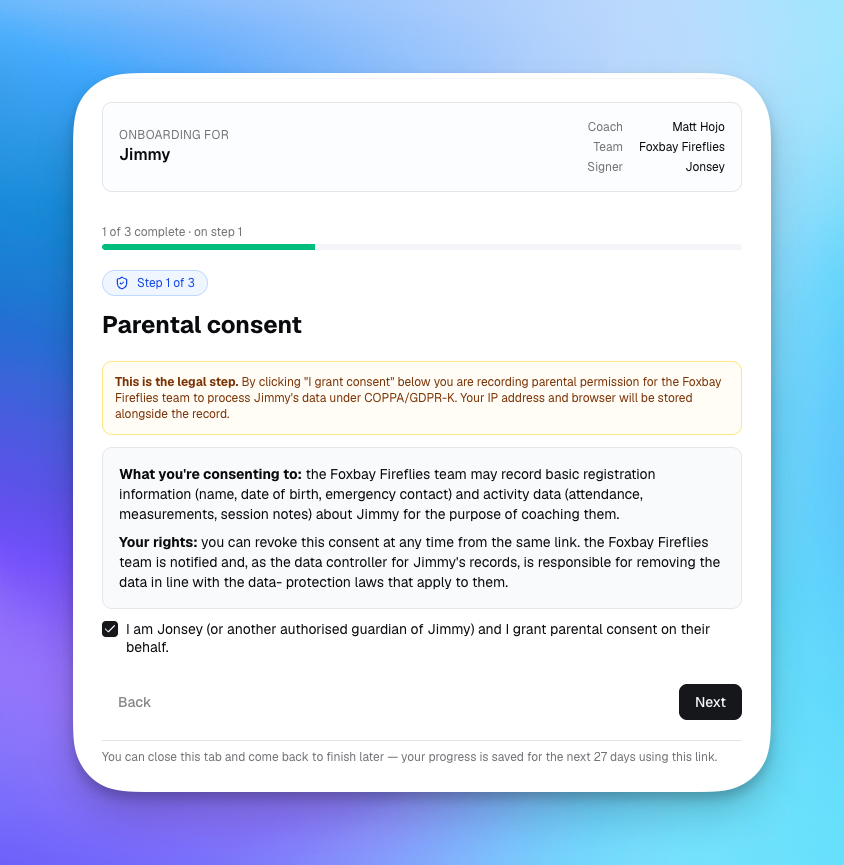
For minors, the parental consent step makes the legal context explicit — what's being consented to, what data the team will process, and how to revoke later. The signer's IP address and browser are stored alongside the record so you have a defensible audit trail under COPPA / GDPR-K. Adult athletes see the equivalent self-consent step instead.
Track Completion
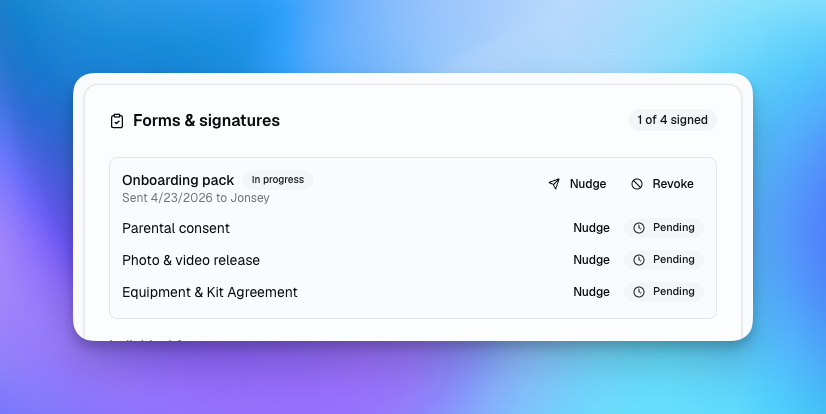
The athlete profile's Forms & signatures card shows every signer's current status at a glance: invited, in progress, or complete. From there you can resend (nudge) invites to anyone who hasn't started, or revoke a pack that's no longer valid.
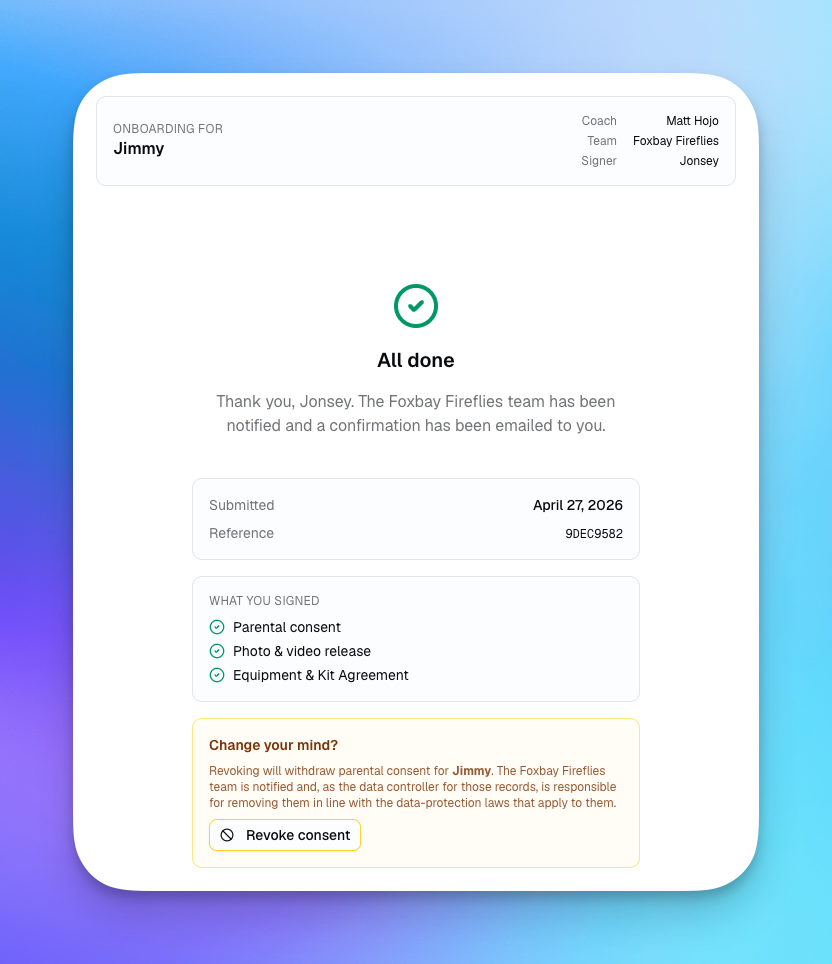
When the signer completes every step, they see a confirmation screen with a submission reference and a clear option to revoke later if circumstances change. The athlete is automatically marked compliant and a confirmation email goes out to everyone involved.
Review What's on File
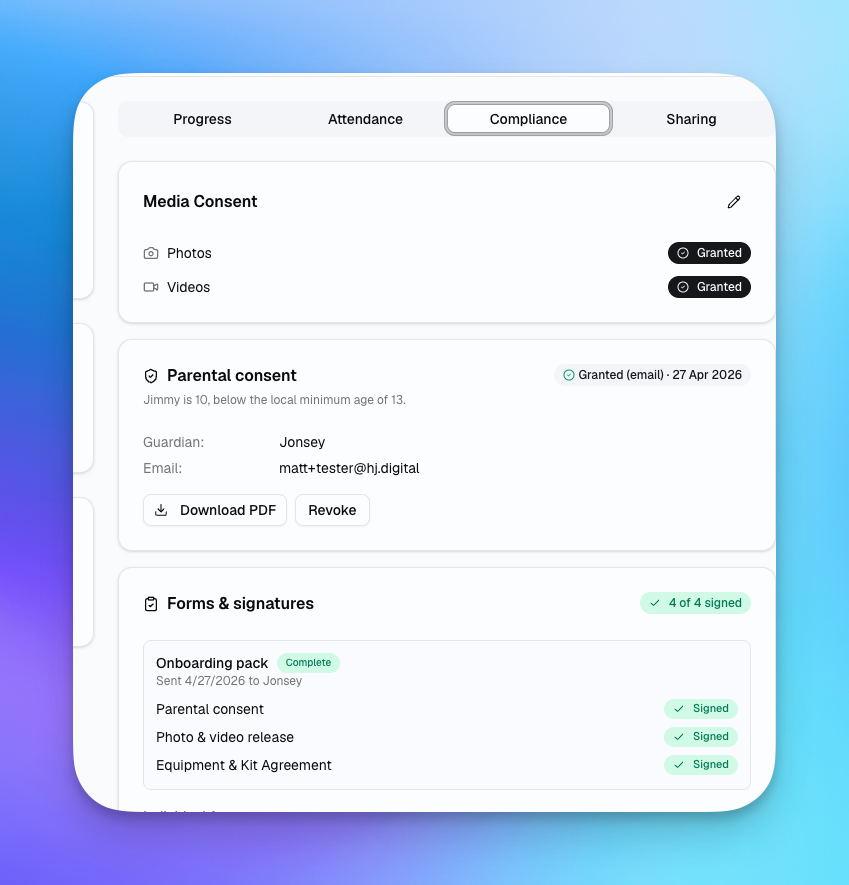
Each athlete's Compliance tab consolidates every signed form in one place: media consent flags, parental or self-consent status (with audit details for minors), and signed forms with download links to PDF copies. If a guardian or athlete ever revokes consent, the change is reflected here immediately and the data controller is notified.
Teams and Club Programs
If you use multi-user teams, consent workflows are fully team-scoped. Admins can build shared workflows used across multiple coaches, and the completion dashboard is visible to anyone with the right role. Club-level programs with multiple age groups can run separate workflows per group from the same account — useful when adult and youth squads have different consent requirements.
What's Next
Upcoming additions to the consent system include PDF export of completed responses for offline filing, e-signature capture for forms requiring a wet-signature equivalent, and bulk re-consent flows for returning athletes who need to re-acknowledge updated policies at the start of a new season.
If there are specific consent form types or compliance requirements your program needs that aren't covered yet, let us know through the in-app coach chat — we're building this alongside real programs.
Pre-season is when this pays off. Start a free Planner.coach account, or if you're already in, build your first workflow today.
See It in Action
Sign up for free and start using the latest features today. No credit card required.
More from the blog
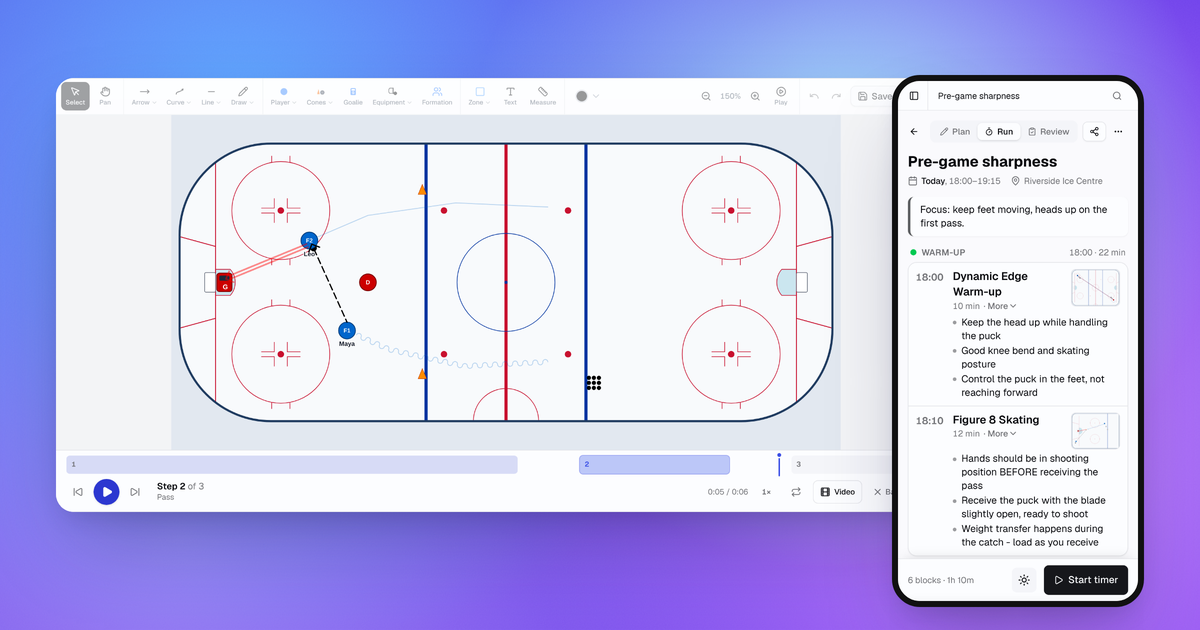
October Update: Drill Playback, Run Mode and Game Day
Drills now play step by step, sessions have a Run mode for your phone, and games, squad import and the AI Coach all got better.
Connect Claude or ChatGPT to Your Coaching Data with the MCP Connector
Planner.coach now supports the Model Context Protocol. Connect Claude, ChatGPT, or Copilot to your sessions, athletes, and calendar — on every plan.
Introducing Multi-User Teams for Coaching Staffs
Invite your assistant coaches, share sessions and drills, and manage your entire staff from one workspace with team collaboration.