Plan Your Season with the New Calendar View
Visualize your training schedule, drag sessions into place, create recurring events, and link drills to your weekly calendar.
 Planner.coach Team
What's New
Planner.coach now includes a full calendar and schedule view so you can see your entire training week or month at a glance. Create events, drag sessions onto specific dates, set up recurring training slots, and keep your season plan organized in one place.
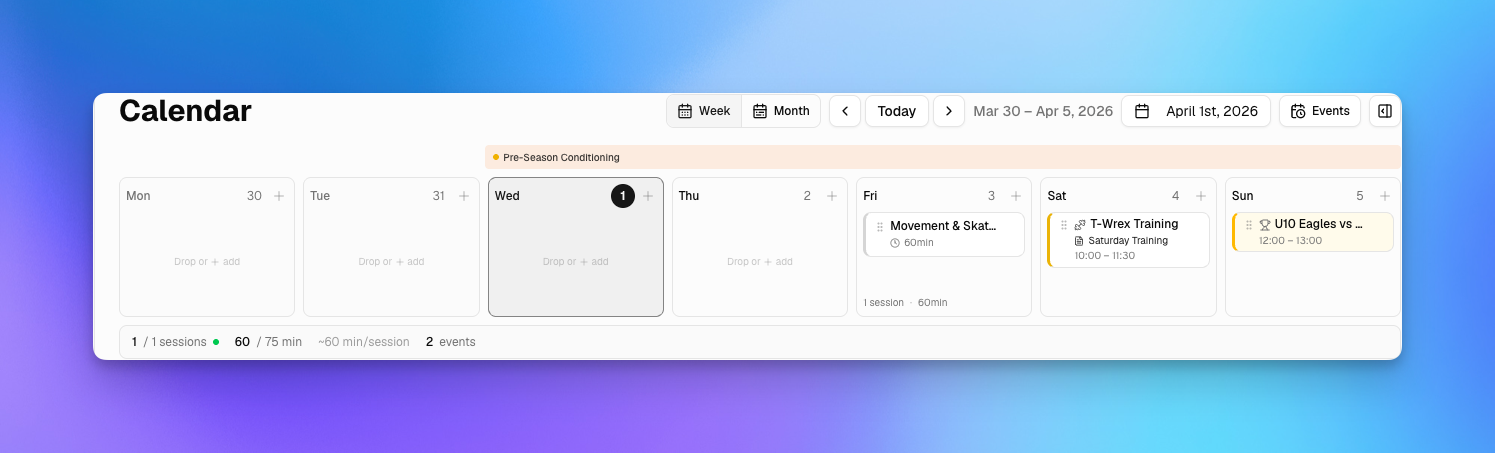
The calendar supports weekly and monthly views, giving you flexibility whether you're planning the next few practices or mapping out an entire season block.
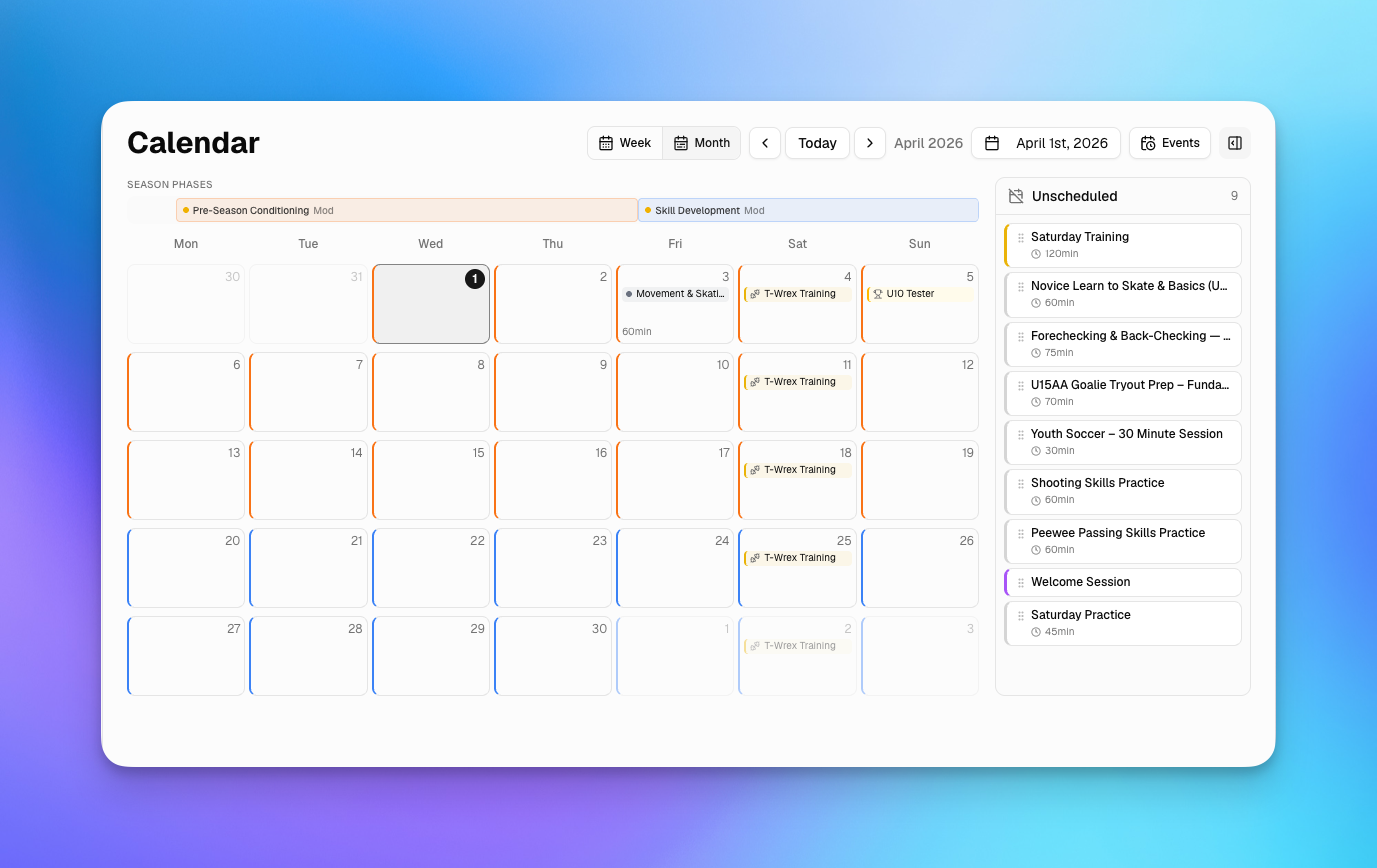
Why It Matters
Great coaching is about more than individual sessions — it's about how those sessions fit together over time. Until now, planning your training schedule meant juggling a separate calendar app alongside your session library. The new calendar view brings scheduling directly into your coaching workflow so you can see what's coming up, spot gaps in your plan, and adjust on the fly.
With recurring events, you can set your regular training slots once and have them appear automatically each week. Link a session plan to any event, and your drills and activities are ready to go when practice time arrives.
How to Use It
View Your Schedule
Navigate to Calendar from the sidebar. Toggle between week and month views using the controls at the top. Your configured week start day is respected automatically.
Create Events
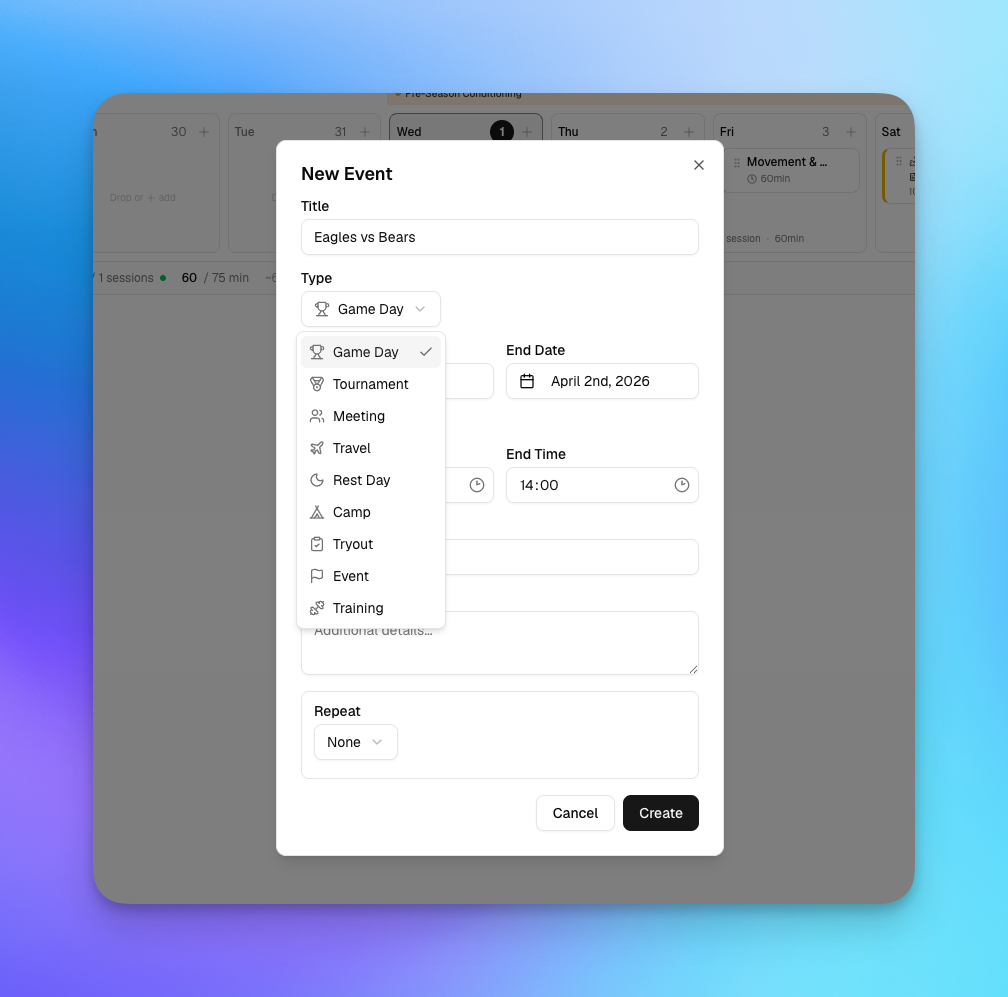
Click any empty day to create a new calendar event. Give it a title, set the time, and optionally make it recurring (daily, weekly, or custom). Events appear as colored pills on the calendar grid.
Link Sessions to Events
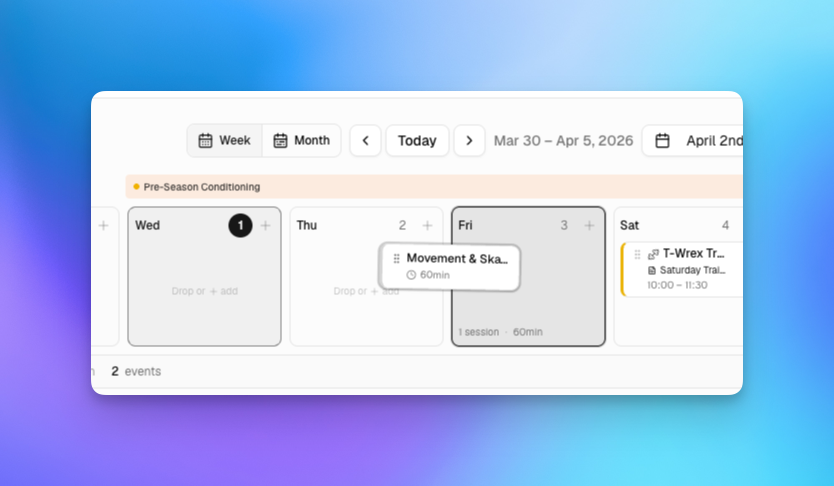
Drag an existing session from the unscheduled panel onto a calendar date to schedule it. You can also link sessions directly to recurring events — so your Monday evening practice always has the right session plan attached.
Manage Recurring Events
When you edit or delete a recurring event, you'll be asked whether to apply the change to just that occurrence, all future events, or the entire series. This gives you fine-grained control without disrupting your broader schedule.
Season Phase Overlays
If you have an active season plan, phase boundaries appear as overlays on the calendar, helping you see which training block you're in and when transitions are coming up.
Ask the Coach
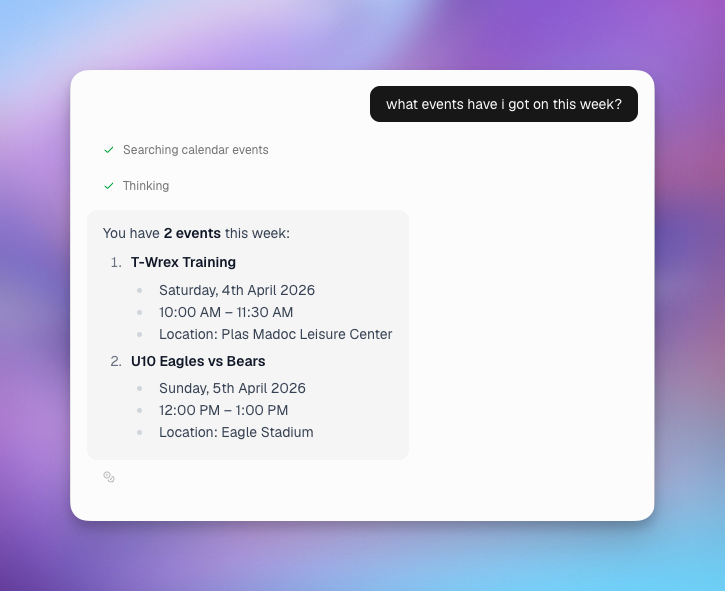
The AI coaching assistant is calendar-aware. Ask it about your upcoming schedule, and it can reference your events and sessions to help you prepare for the week ahead.
What's Next
We're continuing to refine the calendar experience with improved mobile interactions, print-friendly layouts, and deeper integration with season planning tools. If you have feedback, let us know through the in-app coach chat.
Get started for free and try the calendar view today.
See It in Action
Sign up for free and start using the latest features today. No credit card required.
More from the blog
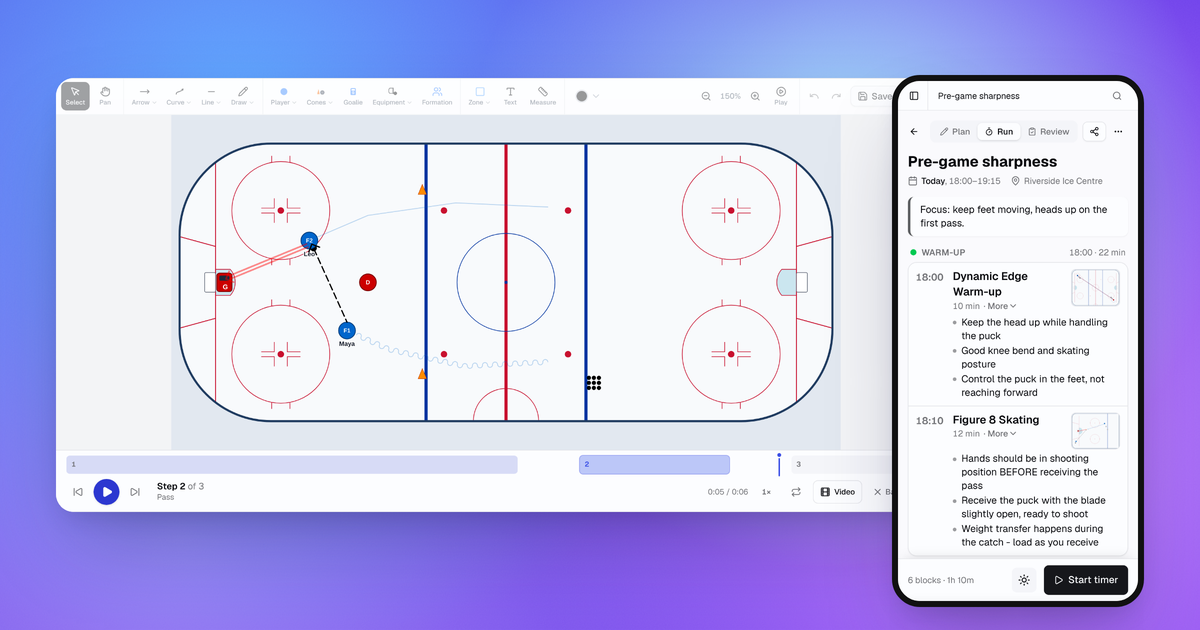
October Update: Drill Playback, Run Mode and Game Day
Drills now play step by step, sessions have a Run mode for your phone, and games, squad import and the AI Coach all got better.
Connect Claude or ChatGPT to Your Coaching Data with the MCP Connector
Planner.coach now supports the Model Context Protocol. Connect Claude, ChatGPT, or Copilot to your sessions, athletes, and calendar — on every plan.
Consent Workflows for Athletes and Guardians
Send onboarding packs to athletes or their guardians, track completion in real time, and start the season with every form signed — no chasing required.